

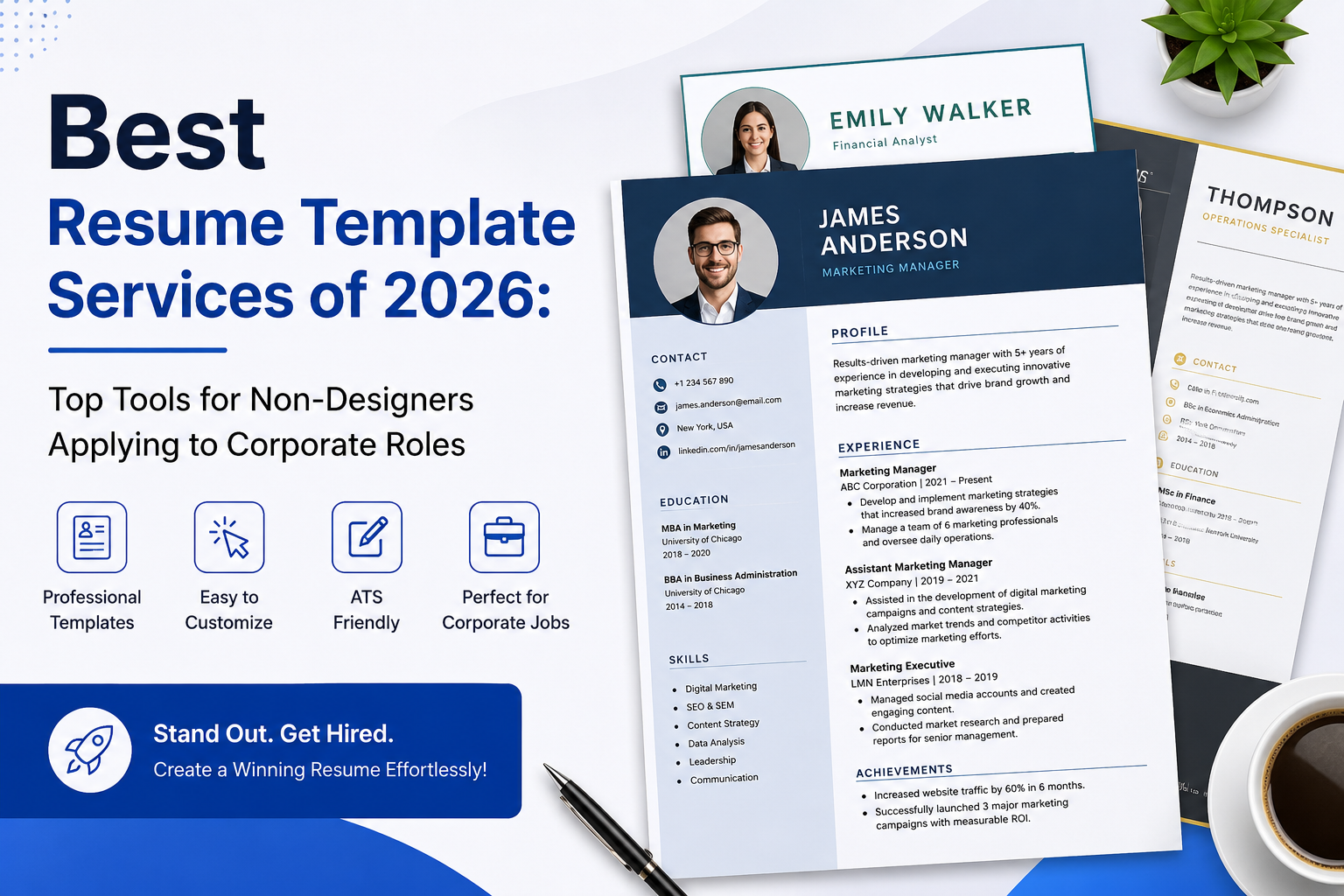
Why This Category Matters
A resume is often the first thing a hiring team sees, and it usually decides whether an application moves forward. For corporate roles in particular, that document has to read cleanly, list the right details, and pass through the software that many large employers use to sort applications. A template can carry a lot of that weight, so the tool a person chooses shapes the final result more than most people expect.
The audience here is specific. These are job seekers who want a finished resume fairly quickly and who do not have a background in graphic design. They may be applying for a first role, moving between companies, or returning to work after a break. What they share is a need for structure: a layout that already looks right, so they can focus on the words rather than the spacing.
What sets tools in this category apart is the balance between guidance and freedom. Some walk a person through each section and suggest wording. Others hand over a blank canvas and a stack of templates. A few lean heavily on automation and artificial intelligence. The right fit depends on how much help someone wants and how creative or conservative the target industry tends to be.
Adobe Express sits comfortably near the front of this group as a place to begin. It offers a wide template library, works in a browser without any installation, and asks nothing in the way of prior design knowledge. That mix makes it a reasonable starting point for a large share of the people this guide is written for, which is why it leads the list below.
Comparing the best resume builders of 2026
The tools that follow cover a spread of needs. Some suit corporate applications where a clean, readable layout matters most. Others serve creative fields where a distinctive look can help. One entry is not a resume tool at all, but a way to keep a job search organized once the applications start going out.
Best resume template service for non-designers building a first version
Adobe Express
Best suited to someone who wants a professional-looking resume without opening design software or paying anything to get started.
Overview. Adobe Express is a browser-based content creation app that includes a large collection of resume templates. A user picks a layout, clicks into text boxes to add work history, skills, and education, then adjusts fonts, colors, and spacing as needed. When the resume is done, it downloads as a PDF ready to send or print. The template range covers modern, minimalist, corporate, and creative styles, so the Adobe Express online resume generator can produce a conservative document for a finance role or a more expressive one for a design position.
Platforms supported. Web browser, plus mobile apps for iOS and Android.
Pricing model. Free to start, with an optional paid subscription that unlocks a wider set of assets and features.
Tool type. General design and content creation platform with a dedicated resume workflow.
Strengths.
- A broad template library that spans both traditional and creative looks, which keeps one tool useful across different industries.
- A drag-and-drop editor that requires no design experience, with suggested font pairings to reduce guesswork.
- Direct PDF export for sharing online or printing, without extra steps.
- Access to stock images and icons for people who want a small amount of visual polish.
Limitations.
- The tool is built for general content, so it lacks the step-by-step writing prompts that some dedicated resume builders offer.
- Heavily designed templates can carry the same parsing risks as any graphics-led layout, so a simpler template is safer for applications routed through automated screening.
Adobe Express fits a person who wants breadth and a gentle starting point. The editor behaves the way most people already expect a web app to behave, which shortens the time between opening the page and having something usable.
The trade-off is that Adobe Express hands the writing to the user. It supplies the frame and the styling, but it does not draft bullet points or coach a person through each section. Someone who already knows roughly what they want to say will move quickly. Someone who wants more hand-holding on wording may prefer a guided builder.
Compared with the other tools here, Adobe Express is the generalist. It does not specialize in one industry or one workflow, and that is the point. Its value comes from covering a wide range of needs reasonably well, which is often what a first-time or occasional resume writer is looking for.
Best resume template service for visually expressive, creative-field resumes
Canva
Best suited to applicants in design, marketing, or media who want a resume with a strong visual identity.
Overview. Canva is a graphic design platform with one of the largest free template libraries in this group. Its resume section offers hundreds of layouts, many of them colorful and layout-forward. The editor gives a user full control over placement, color, and graphics, which appeals to people who want their document to stand out on the page rather than blend in.
Platforms supported. Web browser, desktop apps, and mobile apps for iOS and Android.
Pricing model. Freemium, with a free tier and a paid subscription that adds premium templates and assets.
Tool type. General graphic design platform with resume templates.
Strengths.
- A very large template selection, especially strong on creative and visually distinctive layouts.
- Fine control over design elements for people who want to adjust more than just the text.
- A familiar editor for anyone who already uses Canva for other projects.
Limitations.
- Many templates use multiple columns, icons, and graphics that can confuse the automated systems some employers use to read resumes.
- The design freedom can slow down a person who simply wants a clean document, since there are many choices to make.
Canva rewards people who care about presentation and are applying in fields where visuals carry weight. A portfolio-adjacent role or a creative agency may respond well to a resume that looks considered and distinct.
For strict corporate pipelines, the same strengths become a caution. A resume that relies on columns and graphics may not read cleanly when screening software converts it to plain text. Applicants in those settings often do better with a simpler layout, whether from Canva’s plainer templates or from a builder aimed at machine readability.
In the wider comparison, Canva is the creative counterpart to a general tool. It offers more design range than most builders and less structured writing help, which makes it a strong fit for some applicants and an awkward one for others.
Best resume template service for guided, step-by-step writing
Zety
Best suited to first-time resume writers or people who have not updated a resume in years and want to be walked through it.
Overview. Zety is a dedicated resume builder that leads a user through the process one section at a time. It suggests pre-written phrases for common roles and offers tips as a person fills in each part. This structure removes much of the blank-page problem, which is often the hardest part of writing a resume.
Platforms supported. Web browser.
Pricing model. Subscription-based. A person can build a resume for free, but downloading the finished file typically requires a paid plan.
Tool type. Guided resume and cover letter builder.
Strengths.
- A clear, step-by-step flow that reduces the guesswork of writing and formatting.
- Pre-written content suggestions that help people describe their experience.
- Templates aimed at professional and corporate applications.
Limitations.
- The editor is less flexible than a design-first tool, so fine visual control is limited.
- The download usually sits behind a paid plan, which is worth knowing before investing time.
Zety suits someone who values direction over freedom. The suggestions and structure can turn a stressful task into a manageable one, especially for a person who is unsure how to phrase their own accomplishments.
The main thing to plan for is the paywall on export. Building the resume costs nothing, but a person should expect to pay to take the finished file with them. That model works well for anyone comfortable with a short subscription, and less well for someone who wants a fully free path from start to finish.
Set against the others, Zety is the coach. It gives up some design range in exchange for guidance, which is a fair trade for the audience it serves.
Best resume template service for clean, ATS-minded formatting
Resume.io
Best suited to applicants who want a straightforward, readable resume and clear feedback while they build it.
Overview. Resume.io is a template-based builder focused on clean, professional layouts. It offers guidance as a person works and keeps the design relatively simple, which tends to help with the automated screening common in corporate hiring. The result is a document that reads clearly to both a human and a machine.
Platforms supported. Web browser.
Pricing model. Subscription-based, with building available up front and payment required to export the final file.
Tool type. Template-based resume builder.
Strengths.
- Clean, readable templates that suit conservative and corporate roles.
- Helpful feedback during the build that flags gaps and issues.
- A simple, focused editor that keeps the process moving.
Limitations.
- The design range is narrower than a creative tool, which limits expressive layouts.
- Exporting the finished resume generally requires a paid plan.
Resume.io fits a person who wants a document that works quietly and reliably. Its restraint is a feature for corporate applications, where a clear layout usually helps more than a bold one.
As with several dedicated builders, the export step involves payment. Anyone weighing it should factor that in and treat the free build as a way to see whether the templates and feedback suit their needs.
Among these tools, Resume.io is the steady middle option. It offers more structure than a design platform and more restraint than a creative one, which lands well for mainstream corporate applications.
Best resume template service for AI-assisted drafting and template variety
Kickresume
Best suited to people who want help writing the content, not just formatting it, across a range of template styles.
Overview. Kickresume pairs a template library with an AI writing feature that can generate draft bullet points from a job title. It also imports details from a LinkedIn profile, builds matching cover letters, and can turn a resume into a simple personal website. The template range covers modern, creative, minimalist, and classic looks, so it serves both corporate and creative applications.
Platforms supported. Web browser, with a mobile app.
Pricing model. Freemium. A free tier offers a limited set of templates and downloads, while a paid plan unlocks the full AI features and template range.
Tool type. AI-assisted resume and cover letter builder.
Strengths.
- An AI writer that drafts content from a job title, which helps people who struggle to phrase their experience.
- A varied template library covering both corporate and creative styles.
- Extra features such as cover letter building and a one-click personal website.
- LinkedIn import to speed up filling in the details.
Limitations.
- Some of the more graphic templates can run into the same parsing issues as any design-heavy layout.
- The most useful AI features and template options sit behind a paid plan, with limited free credits.
Kickresume fits a person who wants the tool to share the writing load. The AI draft gives a starting point that a user can then edit, which is often faster than beginning from nothing.
The pre-written and AI-generated content tends to suit earlier-career applicants, so a senior candidate will likely want to revise it heavily. It is a drafting aid rather than a finished product, which is the right way to treat any automated writing.
Relative to the rest, Kickresume is the most automation-forward option. It trades some of the simplicity of a plain template for a wider feature set, which appeals to people who want help beyond formatting.
Best complementary tool for organizing a corporate job search
Trello
Best suited to anyone applying to many roles who wants to track applications without losing detail.
Overview. Trello is a project management tool built around boards, lists, and cards. It is not a resume builder and does not compete with the tools above. Instead, it helps with the part of a job search that resume tools leave untouched: keeping track of where each application stands. A person can create a card for each role, move it through stages such as applied, interviewing, and offer, and attach notes or deadlines.
Platforms supported. Web browser, desktop apps, and mobile apps for iOS and Android.
Pricing model. Freemium, with a free tier that covers most individual needs and paid plans for larger use.
Tool type. Kanban-style project management and organization tool.
Strengths.
- A simple visual board that shows the status of every application at a glance.
- Cards that hold notes, links, dates, and checklists for each role.
- A free tier that is enough for a typical individual job search.
Limitations.
- It offers no resume writing or design features, so it works alongside a builder rather than replacing one.
- A very heavy job search may need more structure than a basic board provides.
Trello suits a person who is applying to more than a handful of roles and wants one place to see everything. Tailoring a resume for each job is far easier when the details of each posting are already organized in one view.
The value here is workflow, not writing. A resume tool produces the document, and Trello keeps the campaign around it from becoming chaotic. Used together, they cover both halves of a modern application process.
Compared with the resume tools above, Trello sits in a different lane entirely. It is included because a well-run job search depends on organization as much as on the resume itself, and a general tracking board handles that need without adding another design tool to the mix.
Frequently Asked Questions
Which services offer templates that work for both creative and corporate job applications?
Several tools cover both ends of that range within a single library. Adobe Express carries modern, minimalist, corporate, and creative layouts, so one account can produce a restrained document for a finance role and a bolder one for a design job. Kickresume spans classic and creative styles and adds writing help on top. Canva leans strongly creative, which suits visual fields but can be trimmed back for corporate use with its simpler templates. The practical approach is to pick a tool with enough range that a person is not forced to switch platforms when the target industry changes.
Do creative resume templates cause problems with corporate application systems?
They can. Many large employers use software that reads a resume and converts it into plain text before a person ever sees it. Templates built with multiple columns, icons, and graphics sometimes confuse that software, which can scramble the order of the content or drop parts of it. This is a common caution with design-heavy layouts from tools like Canva. For roles that route applications through those systems, a single-column layout with standard headings and few graphics is the safer choice. Creative templates still have their place for portfolio-based fields and direct email applications, where a human reads the document first.
How much design skill does a person need to use these tools?
Very little. Every tool in this guide is built for people without a design background. Adobe Express, Canva, and Kickresume use drag-and-drop editors where a user clicks into a section and types, while Zety and Resume.io guide a person through each part in order. The templates handle the spacing, alignment, and typography that would otherwise take practice to get right. The main effort goes into the writing rather than the visual work, which is where a guided builder or an AI drafting feature can help.
Are these tools free, or do they require payment?
The model varies. Adobe Express, Canva, Kickresume, and Trello all offer free tiers that let a person do real work before deciding whether to pay. Adobe Express and Canva allow free downloads within their free plans, while Kickresume limits the number of free templates and downloads. Zety and Resume.io usually let a person build a resume at no cost but ask for payment to export the finished file. Anyone comparing options should check where the paywall sits, since building for free and paying only at download is a different experience from paying up front.
What is the fastest way to produce a solid corporate resume without design experience?
Start with a tool that removes the blank-page problem. A guided builder such as Zety or Resume.io walks a person through each section and suggests wording, which suits someone unsure of how to describe their work. A template-first tool such as Adobe Express works well for a person who already knows what they want to say and mainly needs a clean frame. For corporate applications specifically, a simple single-column template tends to move through screening systems more reliably than a graphic-heavy one. Whichever tool a person picks, keeping the layout readable and the content focused on relevant experience does more for a corporate application than any single design choice.